
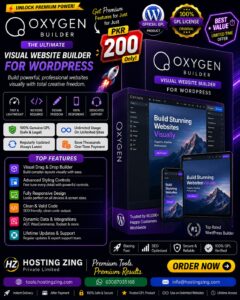
The New Oxygen Builder
The New Oxygen Builder is a powerful WordPress site builder plugin that lets users visually create custom pages, headers, footers, templates, and dynamic layouts without relying on traditional themes. It offers advanced responsive controls, global styling, dynamic content support, reusable components, and performance-focused design tools.
Already purchased or have a plan? Log in to download.
- 100% GPL Licensed
- Verified File Integrity
- Fast Manual Approval
The New Oxygen Builder is a WordPress site builder plugin designed to provide extensive control over website design, layout, and functionality. It takes the concept of visual WordPress development further by allowing users to create complete websites from the ground up, including headers, footers, pages, templates, dynamic content, and responsive layouts.
Unlike traditional WordPress themes that limit users to predefined layouts, The New Oxygen Builder focuses on complete design freedom. It provides a visual environment where designers and developers can build custom websites without relying heavily on coding while still offering advanced controls for users who want deeper customization.
Important: The New Oxygen Builder is currently intended for development, testing, and experimentation rather than production websites. Users should avoid deploying it on important live websites until it reaches a production-ready stage.
What Is The New Oxygen Builder?
The New Oxygen Builder is a visual WordPress website-building plugin that allows users to design virtually every part of a website through a centralized interface. Instead of simply editing individual pages, users can create complete site structures and control how different types of WordPress content are displayed.
The builder is designed for users who want more control than traditional themes and conventional page builders provide. It combines visual editing, responsive design tools, dynamic content support, reusable components, and advanced styling capabilities in one environment.
Its approach is particularly useful for developers, agencies, designers, and advanced WordPress users who want to create highly customized websites without being restricted by an existing theme.
Key Features
1. Visual Drag-and-Drop Builder
The New Oxygen Builder provides a visual editing environment where users can construct layouts directly on the page.
Users can add and arrange elements such as:
Sections and containers
Columns
Headings
Text
Images
Buttons
Forms
Navigation elements
Dynamic content
The drag-and-drop workflow makes it possible to create complex layouts without manually writing every line of HTML or CSS.
2. Complete Layout Control
The builder provides detailed controls for positioning and organizing website elements. Users can adjust spacing, alignment, sizing, positioning, and other layout properties to achieve precise designs.
It also supports modern layout approaches such as Flexbox and CSS Grid, making it suitable for both simple websites and more advanced responsive layouts.
3. Responsive Design Controls
Modern websites need to work across desktops, tablets, and smartphones. The New Oxygen Builder provides responsive controls that allow designers to customize layouts for different screen sizes.
Users can adjust properties such as:
Element size
Spacing
Alignment
Visibility
Positioning
Layout behavior
Typography
This makes it easier to create designs that remain functional and visually consistent across different devices.
4. Advanced Styling Options
The New Oxygen Builder provides extensive styling controls for individual elements and global website components.
Users can customize:
Colors
Backgrounds
Typography
Borders
Shadows
Spacing
Transitions
Hover effects
Alignment
Visibility
This level of control allows users to create unique designs instead of relying on fixed theme styles.
5. Global Colors and Typography
Global styling tools help maintain consistency throughout an entire website.
Users can define global colors, fonts, heading styles, body text settings, and other design properties. These styles can then be reused across different pages and components.
When a global style is changed, the updated design can be applied throughout the website, reducing repetitive editing and helping maintain brand consistency.
6. Dynamic Content Support
One of the major strengths of The New Oxygen Builder is its ability to work with dynamic WordPress content.
Users can create layouts that automatically display information from:
Posts
Pages
Categories
Tags
Custom post types
Custom fields
Featured images
Authors
Dates
Other WordPress metadata
This makes the builder suitable for websites where content needs to be generated dynamically rather than manually designed page by page.
7. Custom Field Integration
The builder can be used with popular custom-field solutions such as Advanced Custom Fields, Meta Box, and Pods.
For example, a real estate website could store information such as:
Property price
Location
Number of bedrooms
Property type
Floor area
Amenities
The website template can then automatically display this information for each property.
This approach can significantly simplify the creation of dynamic websites with large amounts of structured content.
8. Custom Post Type and Archive Templates
The New Oxygen Builder allows users to create custom templates for different types of WordPress content.
Users can design:
Single post templates
Page templates
Custom post type templates
Category archives
Tag archives
Author archives
Search result layouts
This gives website owners much greater control over how dynamic content appears throughout their websites.
9. Dynamic Queries and Loops
For websites containing large amounts of content, query and loop functionality can be extremely useful.
Users can create dynamic grids and lists that automatically display selected posts, products, properties, portfolios, or other content according to specific criteria.
This is particularly useful for directories, blogs, real estate websites, portfolios, and other database-driven WordPress projects.
Performance-Focused Architecture
Website performance is an important consideration when choosing a visual builder. The New Oxygen Builder places significant emphasis on producing efficient output and reducing unnecessary markup.
Clean HTML Output
The builder aims to generate cleaner and more efficient HTML rather than relying on excessive layers of unnecessary elements.
A cleaner structure can help reduce the size and complexity of the page\'s DOM, potentially improving browser rendering and overall performance.
Reduced Unnecessary Wrappers
Excessive nested elements can make a website\'s HTML structure unnecessarily complicated. The New Oxygen Builder focuses on minimizing unnecessary wrappers wherever possible.
This can contribute to:
Smaller DOM structures
Easier styling
Better maintainability
More efficient rendering
Potentially improved page performance
Optimized Asset Loading
Performance-focused websites also need efficient handling of CSS and JavaScript resources. The builder is designed with optimization in mind, aiming to load only the resources required by the website\'s design and functionality.
This can help developers build visually complex websites while maintaining a focus on loading speed and performance.
Header and Footer Builder
The New Oxygen Builder allows users to create custom headers and footers rather than relying entirely on predefined theme layouts.
Custom Headers
Users can create headers containing:
Logos
Navigation menus
Search functionality
Social icons
Buttons
Dynamic content
Headers can also be customized for different pages or content types depending on the website\'s requirements.
Custom Footers
Footers can similarly be designed from scratch with elements such as:
Copyright information
Navigation
Contact details
Social links
Widgets
Additional content
This provides greater control over the overall website structure and branding.
Reusable Components
Website development becomes more efficient when frequently used elements can be reused.
The New Oxygen Builder supports reusable design components, allowing users to save sections, elements, and layouts for use across multiple pages.
For example, a website could create a reusable:
Call-to-action section
Pricing block
Contact section
Testimonial layout
Button style
Navigation component
When a reusable component is updated, changes can be reflected wherever that component is used, helping maintain consistency across the website.
Developer-Friendly Features
Although The New Oxygen Builder focuses heavily on visual design, it is also intended to accommodate developers and advanced WordPress users.
Depending on the project requirements, users can work with custom:
HTML
CSS
JavaScript
PHP-based functionality
Dynamic data
Hooks and filters
This provides a balance between visual website building and advanced customization.
Developers can therefore use the visual builder for most of the design process while still having the flexibility to add custom functionality when required.
Use Cases
1. Business Websites
Businesses can use The New Oxygen Builder to create completely customized websites with branded headers, service sections, testimonials, contact forms, calls to action, and responsive layouts.
2. Dynamic Directory Websites
Websites containing listings, businesses, properties, jobs, or events can benefit from dynamic templates and custom fields.
3. Real Estate Websites
Real estate developers and agencies can create property templates that automatically display information such as prices, locations, property types, images, and other custom fields.
4. Portfolio Websites
Designers, photographers, developers, and creative professionals can create custom portfolio layouts and dynamically display projects using custom post types and reusable templates.
5. WooCommerce Websites
The builder\'s dynamic capabilities can also be useful for creating customized layouts for eCommerce websites, allowing developers to build unique product and shop experiences.
6. Agency Projects
Web development agencies can use reusable components, global styling, custom templates, and advanced design controls to create multiple client websites more efficiently.
Who Is The New Oxygen Builder For?
The New Oxygen Builder is particularly suited to:
WordPress developers
Web designers
Digital agencies
Freelancers
Advanced WordPress users
Performance-conscious developers
Users who require extensive design control
It is especially attractive to people who want to move beyond the limitations of traditional WordPress themes and create websites with highly customized layouts.
Development Status
One of the most important considerations is the current development status of The New Oxygen Builder.
The builder is currently described as not suitable for production websites. This means it should primarily be used for testing, experimentation, learning, development, and evaluation rather than important live websites.
Because it is still under development, users may encounter changes, compatibility issues, incomplete functionality, or other unexpected behavior.
For production websites where stability, security, reliability, and long-term maintenance are critical, users should consider an established production-ready WordPress builder instead.
Alternatives
Several established WordPress builders offer similar visual website-building capabilities.
Elementor
Elementor is a widely used WordPress page and website builder offering drag-and-drop editing, widgets, templates, and theme-building functionality.
Beaver Builder
Beaver Builder is known for its user-friendly interface, flexible layouts, and developer-friendly approach to WordPress website creation.
Oxygen Builder
The original Oxygen Builder is designed for advanced users who want extensive control over WordPress website structure, styling, and performance.
Conclusion
The New Oxygen Builder is a WordPress visual site-builder plugin focused on complete design freedom, dynamic content, responsive layouts, reusable components, and performance-conscious development. It allows users to create everything from individual pages to complete website structures without depending heavily on traditional WordPress themes.
Its advanced layout controls, dynamic data capabilities, global styling system, custom templates, and developer-oriented features make it a promising option for designers, developers, freelancers, and agencies seeking extensive control over WordPress websites.
However, its current not-for-production status is an important limitation. For now, it is best approached as a development and testing tool rather than as the foundation of a live, mission-critical website.