
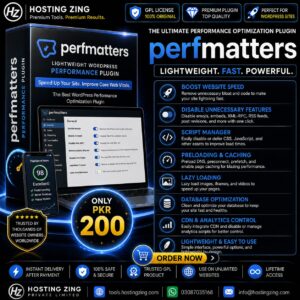
Perfmatters
Perfmatters is a lightweight WordPress performance optimization plugin that helps improve website speed by disabling unnecessary WordPress features, managing scripts and styles, optimizing resource loading, enabling lazy loading, reducing database overhead, and applying various performance-focused settings.
Already purchased or have a plan? Log in to download.
- 100% GPL Licensed
- Verified File Integrity
- Fast Manual Approval
Perfmatters is a lightweight WordPress performance optimization plugin designed to improve website speed by disabling unnecessary WordPress features, reducing unwanted scripts and requests, and optimizing how website resources are loaded.
Unlike a WordPress theme, Perfmatters is a plugin that works alongside your existing WordPress theme and other optimization tools.
Primary Function
The primary purpose of Perfmatters is to reduce unnecessary website overhead and improve loading performance. It provides a collection of performance settings that allow website owners to disable features they do not need and control which scripts and resources load on specific pages.
By reducing unnecessary requests and optimizing resource loading, Perfmatters can help create a faster and more efficient browsing experience.
Key Features
1. Script Manager
The Script Manager allows users to control which scripts and stylesheets load on individual pages or across specific sections of a website.
For example, if a plugin loads its assets on every page even though they are only needed on one page, users can prevent those unnecessary assets from loading elsewhere.
This can help reduce:
HTTP requests
Page size
Unnecessary JavaScript
Unused CSS
2. Disable Unnecessary WordPress Features
Perfmatters provides options for disabling WordPress features that may not be required by a particular website.
This helps reduce unnecessary background functionality and keeps the website configuration more streamlined.
3. Emoji Optimization
WordPress includes emoji-related resources for compatibility across different devices and browsers. Perfmatters provides an option to disable unnecessary emoji assets when they are not needed.
This can help reduce additional requests and simplify the page-loading process.
4. Lazy Loading
Perfmatters supports lazy loading for images and other suitable media elements.
Instead of loading every image immediately, resources can be loaded as they approach the visitor\\\'s visible area. This can reduce the amount of content that needs to load initially, particularly on pages containing many images.
5. DNS Prefetching
DNS prefetching allows browsers to begin resolving domain names before resources from those domains are actually required.
Perfmatters provides DNS-related optimization options that can help improve the connection process for external resources such as fonts, scripts, and third-party services.
6. Query String Management
Perfmatters includes options for managing query strings associated with static resources.
This can help improve compatibility with certain caching and optimization setups while keeping resource URLs more consistent.
7. Database Optimization
Perfmatters also provides tools for cleaning up unnecessary database data and reducing database overhead.
Depending on the configuration, users can manage items such as:
Revisions
Auto-drafts
Spam comments
Trashed content
Unused database information
Regular cleanup can help keep WordPress installations more organized.
8. Performance-Focused Settings
The plugin provides numerous settings for optimizing WordPress behavior without requiring users to manually edit theme files or write custom code.
This makes it suitable for users who want greater control over website performance while keeping the optimization process relatively straightforward.
Practical Use Cases
1. Blogs and Personal Websites
Blogs often use multiple plugins and content features that can introduce unnecessary scripts and requests. Perfmatters can help website owners control these resources and improve page-loading performance.
2. E-Commerce Websites
Online stores can contain product images, filters, scripts, tracking tools, and other resources. Perfmatters can help reduce unnecessary assets and optimize resource loading while maintaining the required shopping functionality.
3. News and Magazine Websites
Content-heavy websites often contain many images, advertisements, scripts, and third-party services. Performance optimization can help reduce unnecessary loading and improve the overall browsing experience.
4. Business Websites
Business websites can use Perfmatters to optimize landing pages, service pages, contact forms, and other sections by preventing unnecessary resources from loading where they are not required.
5. Media-Rich Websites
Websites containing large numbers of images or other media can benefit from lazy loading and resource management features to reduce the amount of content loaded initially.
Benefits of Using Perfmatters
Some of the main advantages of Perfmatters include:
Lightweight performance optimization
Script and stylesheet management
Lazy loading
DNS optimization
WordPress feature control
Database cleanup tools
Reduced unnecessary requests
Page-specific asset management
Easy-to-use performance settings
Conclusion
Perfmatters is a lightweight WordPress performance optimization plugin focused on reducing unnecessary website overhead and improving loading efficiency. Its Script Manager, lazy loading, DNS optimization, database cleanup, and WordPress feature controls give website owners greater control over the resources their websites load.
It can be particularly useful for blogs, business websites, e-commerce stores, news sites, and other WordPress projects where website speed, efficiency, and performance are important.