
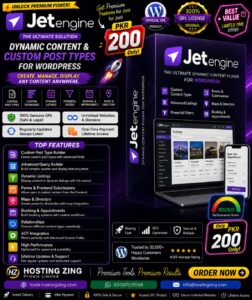
JetEngine for Elementor
JetEngine for Elementor is a powerful WordPress plugin for creating custom post types, taxonomies, custom fields, and dynamic content. It integrates with Elementor to build dynamic listings, directories, real estate websites, portfolios, event platforms, and other data-driven websites without extensive coding.
Already purchased or have a plan? Log in to download.
- 100% GPL Licensed
- Verified File Integrity
- Fast Manual Approval
JetEngine for Elementor is a WordPress plugin designed to help users create, manage, and display dynamic and structured content without requiring extensive coding knowledge. Built to work with Elementor, it provides tools for creating custom post types, taxonomies, custom fields, listings, and dynamic content templates.
The plugin is particularly useful for websites that need more than standard WordPress posts and pages. Whether you are building a real estate directory, portfolio, membership website, events platform, or product catalog, JetEngine can help organize complex information and display it dynamically throughout the website.
Primary Function
The main purpose of JetEngine for Elementor is to provide a flexible system for creating and managing custom content structures.
Users can create:
Custom Post Types
Custom Taxonomies
Custom Fields
Dynamic Content
Listing Templates
Custom Content Structures
This allows website owners to build websites around their specific content requirements instead of being limited to WordPress\'s default post and page structure.
Key Features
1. Custom Post Types
JetEngine allows users to create custom post types for different types of website content.
For example, a website could create separate content types for:
Properties
Products
Events
Portfolio Projects
Job Listings
Team Members
Services
Each custom post type can have its own fields and information, making content easier to manage and display.
2. Custom Taxonomies
The plugin also provides tools for creating custom taxonomies to organize and categorize content.
Users can create categories, tags, and other custom classification systems and associate them with their custom post types.
For example, a real estate website could organize properties by:
Property Type
Location
Area
Status
Features
This makes large amounts of content easier to navigate and filter.
3. Custom Fields
JetEngine provides custom fields for storing additional information associated with posts and other content types.
Depending on the website, fields can contain information such as:
Price
Location
Date
Images
Contact information
Specifications
Ratings
Descriptions
Different field types can be used depending on the type of information being stored.
4. Dynamic Content
One of JetEngine\'s key capabilities is dynamic content display.
Instead of manually entering the same layout repeatedly, users can create a template that automatically retrieves information from their custom content.
For example, a property listing template could automatically display the property\'s:
Name → Image → Location → Price → Bedrooms → Description
When a new property is added, the same template can automatically display the new information.
5. Dynamic Listing Templates
JetEngine can be used to create reusable listing layouts for custom content.
A website owner can create a single listing design and use it to display multiple items across the website.
This is useful for:
Product catalogs
Property directories
Portfolio grids
Event listings
Business directories
Job boards
6. Elementor Integration
JetEngine works with Elementor, allowing users to combine Elementor\'s visual design capabilities with JetEngine\'s dynamic content functionality.
This makes it possible to visually design templates while pulling information dynamically from custom fields, post types, and taxonomies.
7. Structured Content Management
The plugin makes it easier to organize complex website data in a structured way.
Instead of placing all information inside a standard WordPress editor, users can create dedicated fields and content types for specific information.
This can make large websites easier to manage and maintain.
Practical Use Cases
Real Estate Websites
A real estate website can use JetEngine to create property listings with custom fields for price, location, bedrooms, bathrooms, property type, images, and other details.
A single dynamic template can then be used to display all properties consistently.
Portfolio Websites
Designers, photographers, and agencies can create a custom post type for projects and add fields for client names, project categories, completion dates, images, and project details.
The projects can then be displayed dynamically in portfolio grids or individual project pages.
Event Websites
Event websites can create custom event entries containing dates, locations, speakers, ticket information, images, and descriptions.
Dynamic templates can then display these events throughout the website.
Business Directories
Directories can use JetEngine to create listings for businesses, services, locations, and other structured information.
Custom fields and taxonomies help organize the directory and make individual listings easier to manage.
Product Catalogs
Businesses can create custom product-related content with fields for specifications, pricing, images, categories, and other information, then display the data through dynamic Elementor layouts.
Conclusion
JetEngine for Elementor is a WordPress plugin for creating and displaying dynamic, structured content. Its custom post types, taxonomies, custom fields, and dynamic listing capabilities make it especially useful for websites that require more advanced content management than standard WordPress posts and pages.
By combining JetEngine\'s dynamic data features with Elementor\'s visual design tools, users can build highly customized websites such as directories, real estate platforms, portfolios, event websites, and product catalogs without having to manually create every individual layout.