
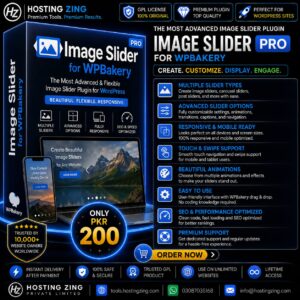
Image Slider for WPBakery
Image Slider for WPBakery is a powerful WordPress plugin that lets you create responsive and visually engaging image sliders directly within WPBakery Page Builder. With multiple slider styles, customizable transitions, captions, links, video support, and flexible design options, it is ideal for showcasing portfolios, products, events, galleries, promotions, and other visual content without requiring coding knowledge.
Already purchased or have a plan? Log in to download.
- 100% GPL Licensed
- Verified File Integrity
- Fast Manual Approval
The Image Slider for WPBakery is a versatile WordPress plugin designed to help website owners create attractive and responsive image sliders directly through the WPBakery Page Builder. It provides an easy-to-use interface that allows users to showcase images, products, portfolios, promotions, and other visual content without requiring coding skills.
With multiple slider layouts, customizable transitions, captions, links, video support, and responsive design, the plugin can enhance the visual presentation of different types of WordPress websites.
Introduction
Visual content plays an important role in creating an engaging website. Instead of displaying multiple images separately and taking up valuable page space, an image slider allows several pieces of visual content to be presented within a single interactive section.
The Image Slider for WPBakery integrates with WPBakery Page Builder, allowing users to add and customize sliders through a familiar drag-and-drop workflow. This makes it suitable for beginners while still providing customization options for users who want more control over the appearance and behavior of their sliders.
Key Features
Drag-and-Drop Integration
The plugin works with WPBakery Page Builder, allowing users to add image sliders to pages and posts using the visual editor. Images and slider elements can be arranged without manually writing HTML, CSS, or JavaScript.
Multiple Slider Layouts
Users can choose from different presentation styles depending on their website requirements. Options may include standard sliders, full-width sliders, and carousel-style layouts for displaying multiple images in an interactive format.
Responsive Design
Sliders are designed to adapt to different screen sizes, helping images and content remain properly displayed across desktops, tablets, and smartphones. This makes the plugin suitable for modern responsive websites.
Customizable Transitions
The plugin provides different transition effects, such as sliding, fading, and zooming. Users can adjust transition behavior and timing to create a smoother visual experience that matches the overall design of their website.
Image and Video Support
In addition to images, the slider can support video-based content, allowing users to create more dynamic presentations. This can be useful for product demonstrations, promotional material, tutorials, and other visual content.
Captions and Links
Users can add captions to individual slides to provide additional information about the displayed content. Links can also be added to direct visitors to product pages, portfolio projects, landing pages, or other relevant sections of the website.
Image Management
The plugin works with the WordPress media library, making it easier to upload and manage images used within sliders. Multiple images can be organized and added to a slider according to the user\\\'s requirements.
SEO-Friendly Image Options
Adding appropriate image information such as alternative text can improve accessibility and help search engines understand the visual content. This is particularly useful for websites that rely heavily on images.
Custom CSS
Advanced users can apply custom CSS to further modify the appearance of their sliders. This provides additional flexibility for matching sliders with a website\\\'s branding, typography, spacing, and overall design.
Cross-Browser Compatibility
The plugin is designed to provide a consistent slider experience across major modern web browsers, helping visitors interact with the visual content regardless of their preferred browser.
Use Cases
Portfolio Websites
Photographers, designers, artists, and creative professionals can use image sliders to showcase their work in an organized and visually appealing format. Multiple projects can be presented without requiring separate sections for every image.
Product Promotions
Online stores can use sliders to highlight featured products, new arrivals, discounts, and promotional campaigns. Images can be combined with captions and links to guide visitors toward relevant product pages.
Event Websites
Event organizers can display photographs from conferences, exhibitions, weddings, festivals, and other events. A slider provides a convenient way to present multiple highlights within a limited space.
Blog Websites
Bloggers can use image sliders to complement written content with visual storytelling. Travel blogs, food websites, photography blogs, and lifestyle websites can particularly benefit from this type of presentation.
Landing Pages
Businesses and marketers can use sliders to showcase important offers, services, promotional graphics, or visual messages on landing pages. Captions and links can also be used to direct visitors toward specific actions.
Real Estate Websites
Real estate businesses can display multiple property photographs within a single slider. Visitors can browse different views of a property without leaving the listing page.
Testimonials and Reviews
Businesses can create visual testimonial sections that combine customer feedback with relevant images. This can help present social proof in a more engaging format.
Travel Websites
Travel agencies and tourism websites can showcase destinations, hotels, attractions, and vacation experiences using high-quality image sliders.
Restaurant Websites
Restaurants can display photographs of featured dishes, menus, special offers, and dining environments to give visitors a stronger visual impression of their services.
Non-Profit Organizations
Non-profit websites can use sliders to highlight campaigns, community projects, events, and organizational activities, helping communicate their work through visual storytelling.
Benefits for WordPress Users
The Image Slider for WPBakery provides several practical advantages for website owners:
Easy integration with WPBakery Page Builder
Multiple slider presentation options
Responsive layouts for different devices
Customizable animation and transition effects
Support for captions and links
Ability to showcase images and visual content efficiently
Custom CSS support for advanced styling
Useful for portfolios, businesses, stores, blogs, and promotional websites
Reduces the need for custom coding when creating image sliders
Conclusion
Image Slider for WPBakery is a useful solution for WordPress users who want to create attractive and responsive image sliders through WPBakery Page Builder. Its combination of drag-and-drop integration, multiple layouts, customizable transitions, captions, links, media support, and responsive design makes it suitable for a wide range of websites.
Whether you need to showcase a creative portfolio, promote products, display property images, highlight events, or improve the visual presentation of your content, Image Slider for WPBakery provides a flexible way to create interactive image sections without requiring extensive coding knowledge.